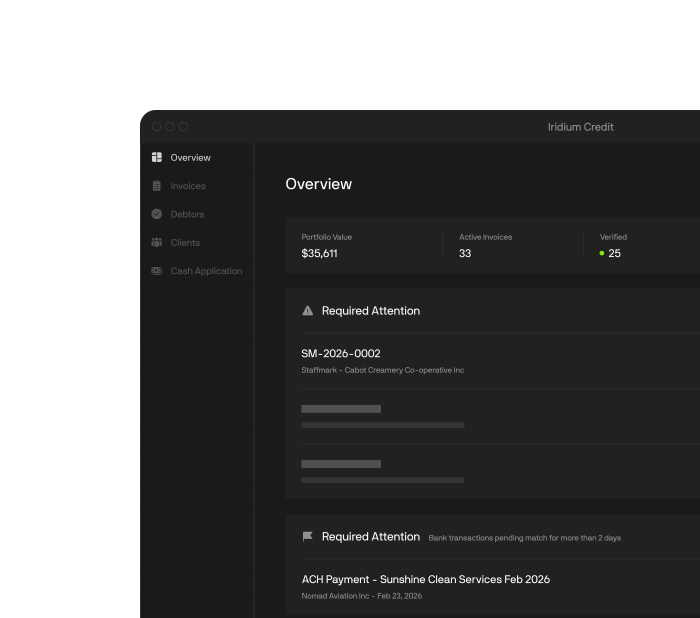
Invoice verification
Iridium checks each invoice against its backup docs and confirms it with the debtor, the way your team does today. Then it adds the checks nobody has time to run by hand: edited documents, duplicates across your portfolio, and checks on every client and debtor. Anything that doesn't match is flagged for your team to review.
The checks
What your team checks today
- 01
Backup docs
Each invoice is compared with its purchase order, rate confirmation, bill of lading, proof of delivery, or timesheet. Amounts, dates, names, and quantities that don't agree are flagged, field by field.
- 02
Debtor confirmation
The invoice is looked up in the debtor's accounts payable portal, or the debtor confirms it on a form with fixed wording.
What Iridium adds
- 03
Edited documents
Each document is checked for signs it was altered, like a changed amount on a rate confirmation.
- 04
Duplicates across your portfolio
Every invoice is checked for duplicates against everything you've funded, across all of your clients.
- 05
Client and debtor checks
Every client and debtor is checked as a real, active business, not just an email address.
- 06
Who sent it
The sender's email address is checked against the one on file for your client. Lookalike domains, free email accounts, and brand-new domains are flagged.
- 07
Invoice numbering
Invoice numbers are read across everything from that client. Skipped and out-of-order numbers are flagged.
- 08
Gut check
Anything unusual for that client or debtor, like an amount far above normal, is flagged.
These are some of the checks Iridium runs. Which ones run, the dollar thresholds, and what comes to your team are set client by client and debtor by debtor.
Debtor confirmation
Confirmation requests go to the debtor contact on your file, never to an address taken from the invoice. A debtor gets one confirmation rather than one per invoice.
Each reply comes back as a Debtor Verification Certificate: which invoices the debtor confirmed, the exact statements they agreed to, and when and where they replied. A reply from Nevada for a debtor based in Ohio is recorded and flagged for your team to review.
Debtor Verification Certificate
Confirmed with 1 exception
Acme Logistics LLC confirmed 2 of 3 invoices, totaling $28,250.25, on Aug 24, 2026, 2:32 PM EDT. 1 invoice was flagged for review.
Parties- Client
- Summit Freight LLC
- Debtor
- Acme Logistics LLC
- Attested by
- ap@acmelogistics.com
| Invoice | Invoice date | Due date | Terms | Amount | Response |
|---|---|---|---|---|---|
| INV-88412 | Aug 12, 2026 | Sep 11, 2026 | Net 30 | $18,500.00 | Confirmed |
| INV-88413 | Aug 14, 2026 | Sep 13, 2026 | Net 30 | $9,750.25 | Confirmed |
| INV-88414 | Aug 15, 2026 | Sep 29, 2026 | Net 45 | $3,900.00 | Flagged for review |
| 3 invoices covered | $32,150.25 |
Confirming an invoice below means that, for that invoice:
- 01All goods and services were received
- 02You acknowledge the updated payment instructions
- 03The amount and terms shown are correct
- 04No disputes or offsets apply
Shown to the signer word for word as printed above. This wording is fixed by Iridium and is not editable by any party.
Location mismatch. The IP address that submitted this verification does not geolocate to the debtor's registered state (OH). This does not invalidate the attestation. It is recorded here so that it can be reviewed.
- Submitted
- Aug 24, 2026, 2:32 PM EDT
- Request sent
- ap@acmelogistics.com
- IP address
- 203.0.113.42
- IP location
- Reno, NV, US. Debtor state is OHDoes not match
9f83b1c47e2a6d05f1b8c3a92e7d4068b5c1a39f7e26d840b3c95a1f68e2d4b7
Derived from the statements shown, the response given, the submission time and the network address it came from. Any change would alter it.
Outcomes
Confirmed
The debtor confirmed it. It moves on under your funding rules.
Confirmed with an exception
The debtor flagged something, in their own words. It comes to your team before anything funds.
No response
No reply is recorded on the invoice. Your funding rules decide: hold it, or send it to your team.
Your call
The funding decision is never Iridium's. Your funding rules are set client by client and debtor by debtor, and anything Iridium clears, your team can still check. Point Iridium at all of your portfolio or part of it.
Nothing funds outside the rules you set.
A failed check waits for a person to approve, reject, or escalate in one click.
Every decision is on the record for your bank, your auditor, and your credit committee.
The Facts
Every invoice gets the same disciplined checks, whenever it arrives.

98%
of verifications completed without a person within three weeks of go-live at Commercial Finance Partners, a US factor
Commercial Finance Partners (CFP), production figure
FAQ
01We're generalist factors. Does Iridium handle our documents?01We're generalist factors. Does Iridium handle our documents?
Iridium reads the backup for each vertical and applies the checks your credit policy requires for each. That includes rate confirmations and bills of lading in freight, timesheets in staffing, and POs in product businesses. Tell us what your clients submit and we'll run the checks on documents like yours.
02Does Iridium handle NOAs?02Does Iridium handle NOAs?
Yes. Iridium generates notices of assignment, delivers them, and tracks acknowledgment. Once a debtor receives a notice of assignment, it must pay you, not your client. Acknowledgment is your proof it was received, so Iridium follows each one to completion.
03Who does Iridium contact to confirm an invoice?03Who does Iridium contact to confirm an invoice?
The debtor contact on your file. Requests never go to an address taken from the invoice, and a debtor gets one confirmation rather than one per invoice. You choose which invoices need the debtor's confirmation before they fund, client by client and debtor by debtor.
04What happens if a debtor doesn't respond?04What happens if a debtor doesn't respond?
No reply is recorded on the invoice, and what happens next follows your funding rules. You set them client by client and debtor by debtor: hold funding until the debtor confirms, or send the invoice to your team to decide. Silence is a signal to weigh, not proof either way.
05Can my team still check an invoice Iridium has cleared?05Can my team still check an invoice Iridium has cleared?
Yes. Your funding rules decide what clears, and you set them client by client and debtor by debtor, from dollar thresholds to which checks must pass. Anything Iridium clears, your team can still check. The funding decision is never Iridium's.